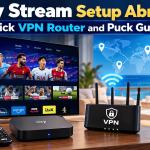
Sky Stream vs Sky Q Abroad: Choose the Best Setup
Planning a summer abroad and want your Sky shows, live sport and UK apps to come with you? Two brilliant options dominate the conversation: Sky Stream and Sky Q. Both deliver premium Sky entertainment, but they work very differently once you leave the UK.
This guide cuts through the noise. You will see how internet-only Sky Stream compares with dish-based Sky Q, what it costs at a glance, what contracts look like, how multi-room works, how live sports latency differs, and how a Plug-And-Play VPN Router keeps your UK apps working overseas. By the end, you will know exactly which setup fits your home, villa, or vessel this summer.
How Sky Stream works abroad
Sky Stream is Sky’s internet-based TV service. There is no satellite dish, no engineer visit in most cases, and no drilling. You plug a small Sky Stream Puck into your TV, connect to broadband and you are ready. For customers outside the UK, the Plug-And-Play VPN Router is the key. It routes your connection so UK apps like BBC iPlayer, ITVX, Channel 4, My5 and your Sky Stream service continue to work smoothly.
- Internet only: it streams channels and apps over broadband or Wi-Fi.
- No dish setup: ideal for rentals, apartments, short stays and quick moves.
- Works worldwide with a VPN router: great for expats, digital nomads and crews.
If you want a simple, suitcase-friendly solution, Sky Stream plus a pre-configured VPN router is the most flexible route.
How Sky Q works abroad
Sky Q is the more traditional route with a satellite dish and a Sky Q box. It can deliver excellent picture quality and a familiar interface, but installation abroad is more complex. You need a correctly aligned dish, local permissions and line-of-sight to the satellites. For on-demand apps and updates, Sky Q also benefits from a VPN router so UK apps authenticate correctly outside the UK.
Sky Q suits permanent homes that can host a dish and where you prefer a more classic set-top box plus local recording on the device. For mobile lifestyles or properties where a dish is not an option, Sky Stream is easier.
Costs at a glance and contracts
Exact Sky pricing varies by package and promos. As a guide:
- Hardware and setup: Sky Stream typically has lower upfront hassle and can be ordered as a compact Puck with a simple setup. Sky Q may involve dish hardware and local installation costs.
- Monthly service: base TV tiers are broadly comparable, with add-ons such as Cinema, Sports and UHD shifting the total.
- Contracts: Sky Stream packages are subject to a 24 month contract with Sky. Sky Q also involves contract terms with Sky. Always confirm final terms before you sign.
If you are comparing pure effort and predictability for a summer abroad, Sky Stream plus a VPN router typically reduces hidden installation costs and time.
Multi-room and whole-home viewing
Sky Stream handles multi-room using extra Pucks on additional TVs and multi-device streaming on phones and tablets. Up to six devices can be in use so everyone can watch their own thing. If you want a quick, cable-light way to cover the villa or a family apartment, it is straightforward to add another Puck and sign in.
Sky Q offers multi-room through Mini boxes that extend the main Sky Q box. It works well in a permanent home, but it depends on your satellite and home network layout.
Want ideas for your layout, cabling and device mix? See our quick planning guide for a whole home entertainment system that scales for family holidays and expat homes.
Live sports and latency
When you stream a match, delay matters. Sky Stream includes quicker streams on select sports channels for supported customers, which reduces the lag you often see on pure streaming services. In practice, you hear the cheer closer to live, so spoilers from neighbours are less likely. Sky Q via satellite is also typically very quick, but the big difference abroad is how easily you can deploy the system. With Sky Stream, you plug in and watch. On a rental balcony, getting a dish approved is rarely practical.
Recording, catch-up and how you watch
- Sky Stream approach: cloud-style recording and playlists, combined with on-demand from the native apps. You select what you want, and it is ready when you are. If you are asking how to record on Sky Stream, think of it as adding to your playlist and using on-demand versions across apps rather than filling a local hard drive.
- Sky Q approach: local hard drive recording on the main box. Traditional record, pause, rewind on the device itself.
If you live light and move often, Sky Stream’s app-led model is a win. If you want classic local recordings, Sky Q feels familiar.
Offshore, yachts and remote sites
At sea, on offshore platforms or in remote camps, consistent satellite alignment and permissions can be challenging. Sky Stream plus a VPN router thrives where you have ship, marina or cellular internet. It is compact, quick to redeploy and friendly to changing cabins or crew rotations. For yachts and vessels planning a refit, pair Sky Stream Pucks with a managed onboard network and the VPN router for a tidy yacht entertainment system that travels with you.
Downsides to consider
- Broadband dependency: Sky Stream needs stable internet. If your summer spot has poor connectivity, you may prefer satellite-based Sky Q or to improve the connection first.
- App-first recording: if you insist on traditional hard drive recordings, Sky Q wins.
- Contract term: expect a 24 month commitment with Sky on Sky Stream packages, so plan accordingly.
- Power and network rules on ships or rentals: confirm you can connect your VPN router or Puck to the local network.
Which is better for you this summer?
- Choose Sky Stream if you want internet-only simplicity, fast setup, portability, multi-room with extra Pucks and reduced streaming delay on select sports channels. It is ideal for expats, travellers, rentals and vessels where dishes are not feasible.
- Choose Sky Q if you have a permanent home abroad with permission for a dish and you love local recordings with a traditional setup.
How the Plug-And-Play VPN Router helps
Your VPN router arrives pre-configured. Plug it into your broadband, then connect the Sky Stream Puck or your smart TV to the router. UK apps sign in normally and your Sky service runs as expected abroad. No complex manual configuration. Just plug and play.
If you want a walkthrough, our step-by-step Sky Stream setup guide shows you how to connect the Puck, pair the remote and sign into apps smoothly.
Quick FAQ
- Is Sky Stream as good as Sky Q? It depends on your priorities. For ease abroad, no dish, quick setup and multi-room portability, Sky Stream is often better. For local hard drive recording and a traditional box, Sky Q is stronger.
- Is it cheaper to have Sky Stream or Sky Q? Upfront and installation costs are usually lower with Sky Stream because there is no dish. Monthly totals vary by package and add-ons. Always check the current offer.
- What are the downsides of Sky Stream? It relies on solid internet, uses cloud-style recording via apps and carries a 24 month Sky contract. If you need off-grid viewing without broadband, Sky Q or upgraded connectivity may suit better.
- How do I order Sky Stream? Order the Sky Stream + VPN Router bundle and request a callback to tailor your packages. We can pre-configure your apps, ship the hardware and guide your first setup.
Ready to get started?
Take Sky with you this summer. Order your Sky Stream TV with our Plug-And-Play VPN Router for quick, secure viewing abroad, or request a callback and we will help you build your perfect package with Sports, Cinema and UHD.
Helpful links to explore next:
- Learn what a Sky Stream subscription includes and how live TV works in-app: skystream.eu/what-is-sky-stream/
- Step-by-step Sky Stream setup, including pairing and connections: skystream.eu/sky-stream-user-set-up-guide/
- Multi-room options and how to add a Sky Stream Puck for extra rooms: skystream.eu/sky-stream-multiroom
- Order Sky Stream now or book a callback for bundles and setup support: skystream.eu/shop
© 2026 SkyStream.eu. All information is provided as a guide and can vary by location, connectivity and package availability. For personal advice, contact info@skystream.eu. Terms apply.